Auth connections
Auth connections let you securely store credentials once and reuse them across your tools, rather than entering credentials separately for every tool that needs them.
The primary use case is authenticating API Tools: when an API Tool needs to call an external service that requires credentials, it references an auth connection instead of storing credentials directly on the tool.
Auth connections are managed under Settings > Auth connections.
Auth connections list
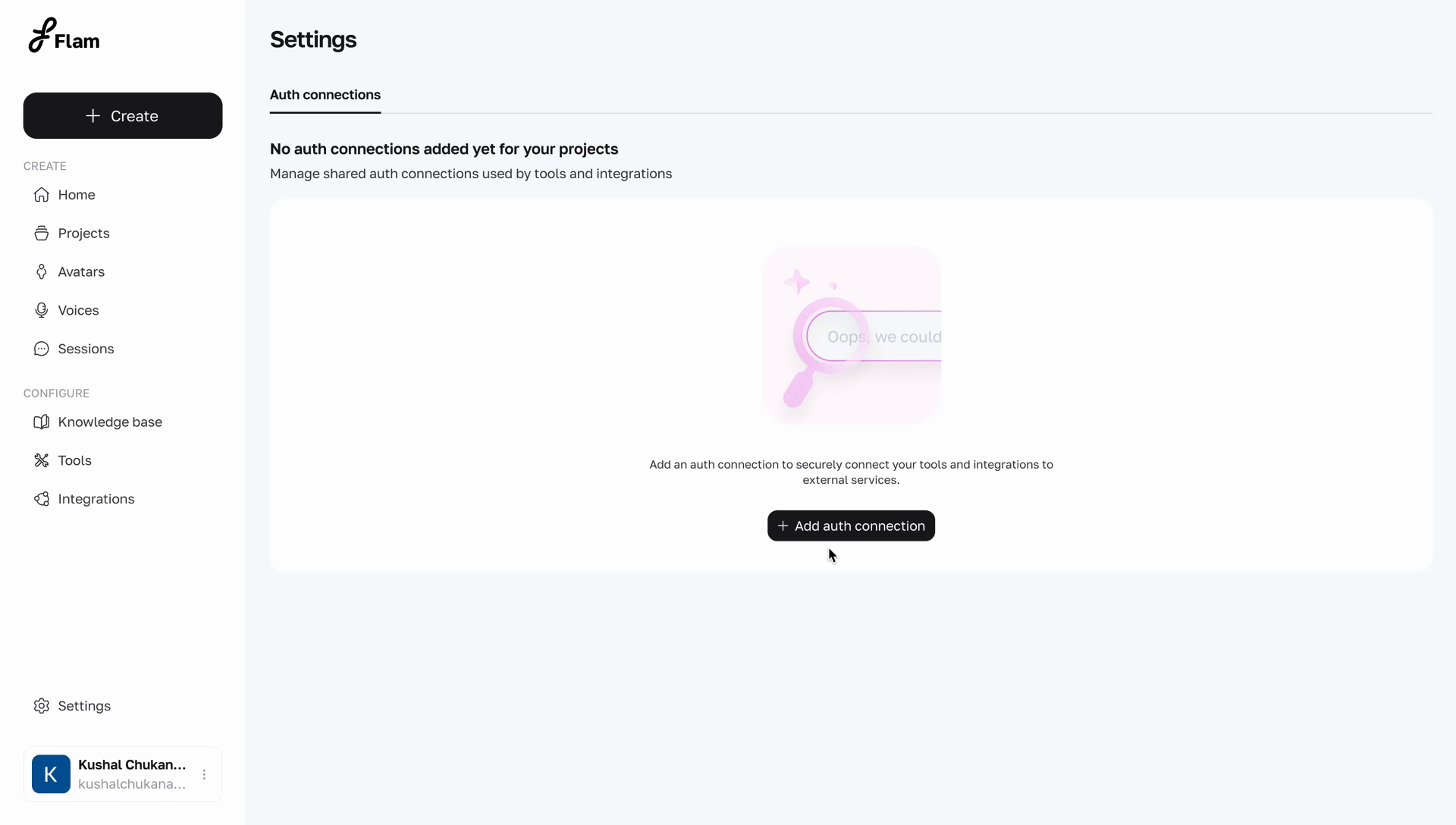
When no auth connections have been added, the page displays an empty state.
Once connections have been added, they appear in a table.
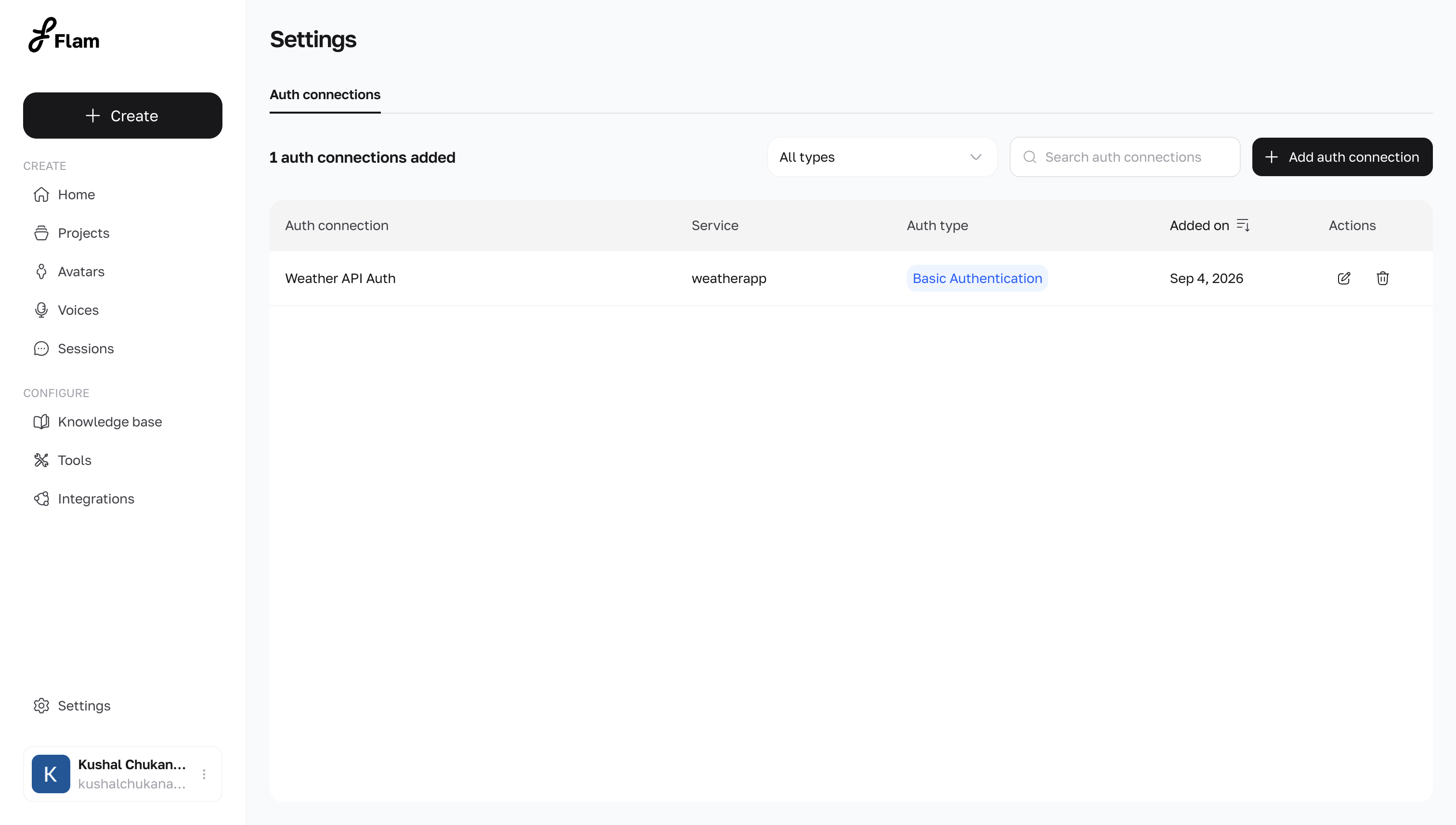
| Column | Description |
|---|---|
| Auth connection | The name given to the connection |
| Service | The external service or provider the connection authenticates against |
| Auth type | The authentication method used by the connection |
| Added on | The date the connection was created. Sortable |
| Actions | Edit and delete |
Use the search bar to locate a connection by name, or the type filter to narrow the list to a specific auth type.
Adding an auth connection
Select Add auth connection to open the creation panel. Every connection requires a Connection name and an Auth type. The remaining fields change based on the auth type selected.
Four auth types are supported.
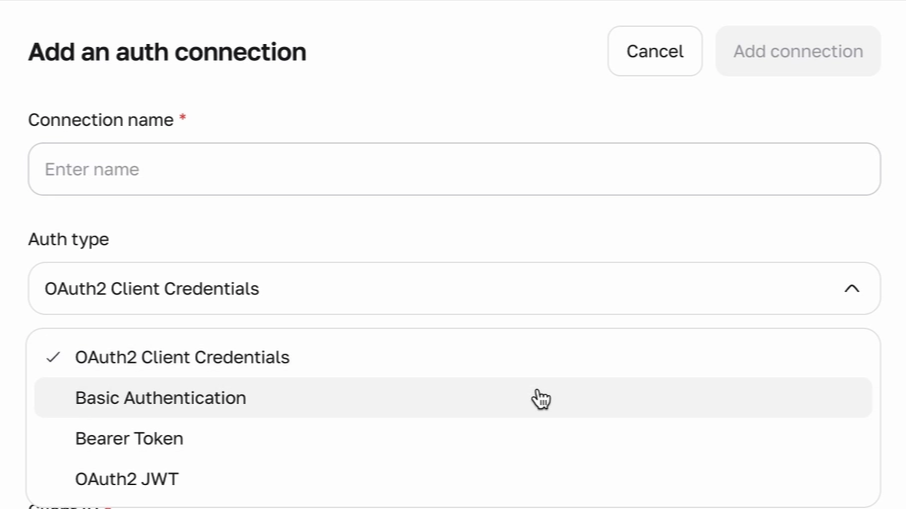
OAuth2 Client Credentials
Used for services that issue an access token in exchange for a client ID and client secret.
| Field | Required | Description |
|---|---|---|
| Provider | Yes | The name of the service being connected to, for example HubSpot |
| Client ID | Yes | The client identifier issued by the provider |
| Client secret | Yes | The client secret issued by the provider. Hidden by default, with an option to reveal it |
| Token URL | Yes | The endpoint the provider uses to issue access tokens |
| Scopes | No | Comma-separated list of scopes to request, for example read, write, admin |
| Extra parameters | No | Additional parameters to send with the token request, provided as JSON |
Two additional options are available for this auth type:
- Use Basic Auth in header for token request — sends client credentials as a Basic Auth header instead of in the request body
- Custom Headers — add one or more key-value header pairs to include with the token request
Basic Authentication
Used for services that authenticate with a username and password.
| Field | Required | Description |
|---|---|---|
| Username | Yes | The username for the service |
| Password | Yes | The password for the service. Hidden by default, with an option to reveal it |
Bearer Token
Used for services that authenticate with a single static token.
| Field | Required | Description |
|---|---|---|
| Provider | Yes | The name of the service being connected to |
| Token | Yes | The bearer token. Hidden by default, with an option to reveal it |
OAuth2 JWT
Used for services that authenticate using a signed JWT assertion.
| Field | Required | Description |
|---|---|---|
| Provider | Yes | The name of the service being connected to |
| Secret Key | Yes | The key used to sign the JWT. Hidden by default, with an option to reveal it |
| Token URL | Yes | The endpoint the provider uses to issue access tokens |
| Scopes | No | Comma-separated list of scopes to request |
| Token type | Yes | The type of token being requested, for example Access token |
| Algorithm | Yes | The signing algorithm used for the JWT, for example HS256 (HMAC SHA-256) |
| Key ID | No | An identifier for the signing key, if required by the provider |
| Expiration | Yes | The token lifetime in seconds |
Under JWT Claims, the following fields define the JWT payload:
| Field | Required | Description |
|---|---|---|
| Issuer (iss) | Yes | Identifies the party that issued the JWT |
| Audience (aud) | Yes | Identifies the intended recipient of the JWT |
| Subject (sub) | Yes | Identifies the subject of the JWT |
| Extra Params | No | Additional custom claims, provided as JSON |
Once all required fields are filled in, select Add connection to save the connection. It then appears in the auth connections list.
Managing an auth connection
Each row in the list supports two actions.
Edit — updates the connection's configuration, including its credentials.
Delete — permanently removes the connection.
Dependency rule An auth connection cannot be deleted while it is being used by one or more tools. The connection must first be detached from every tool using it before it can be deleted.