Managing documents
This page covers how to add, monitor, and manage knowledge sources in the Knowledge Bank. For an explanation of what the Knowledge Bank is and how it improves agent responses, see Overview.
Adding a knowledge source
When no sources have been added yet, the Knowledge Bank page displays an empty state prompting you to add one.
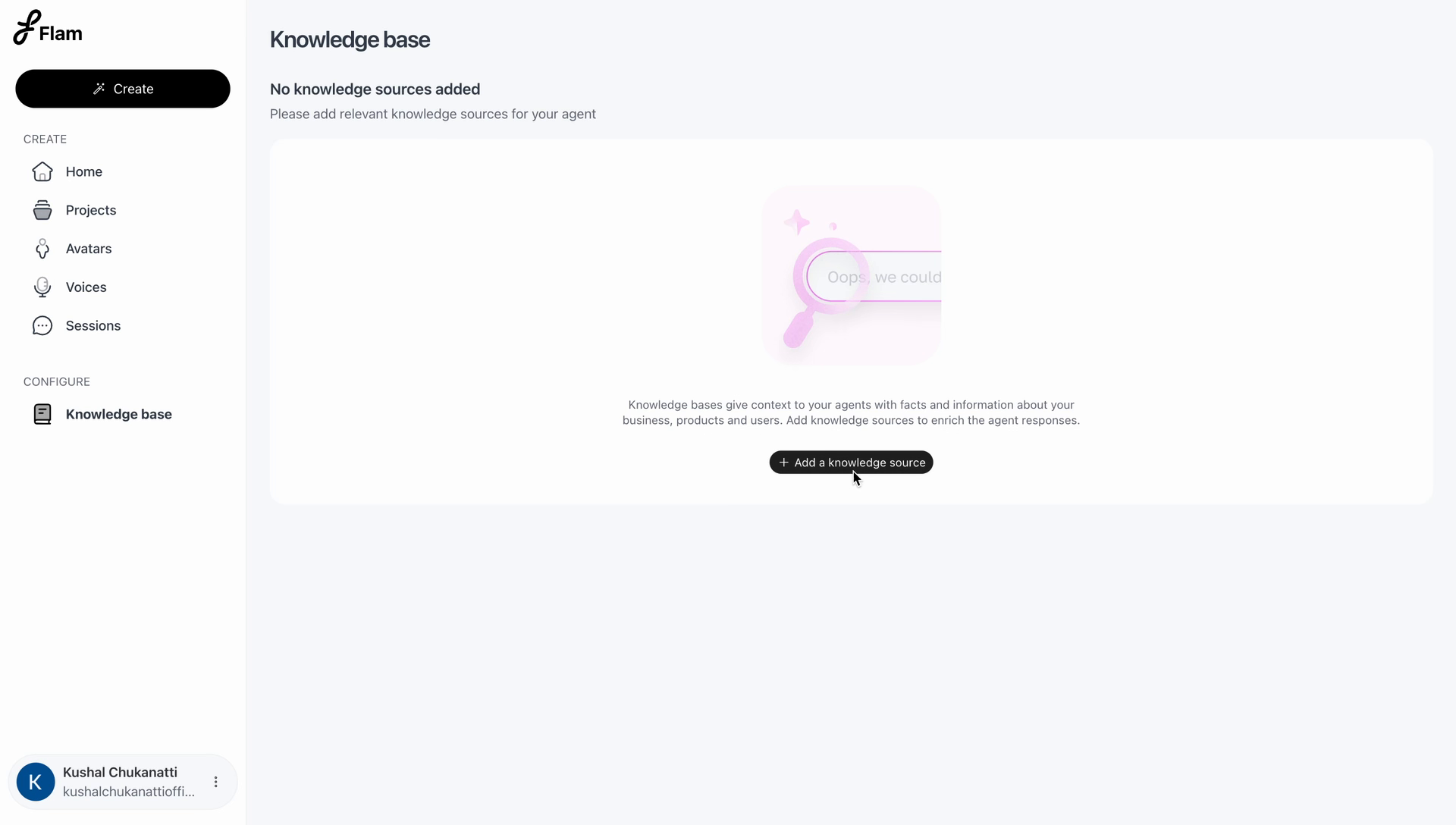
Select Add a knowledge source to open the upload dialog. Files can be uploaded by dragging and dropping them into the dialog, or by browsing your device.
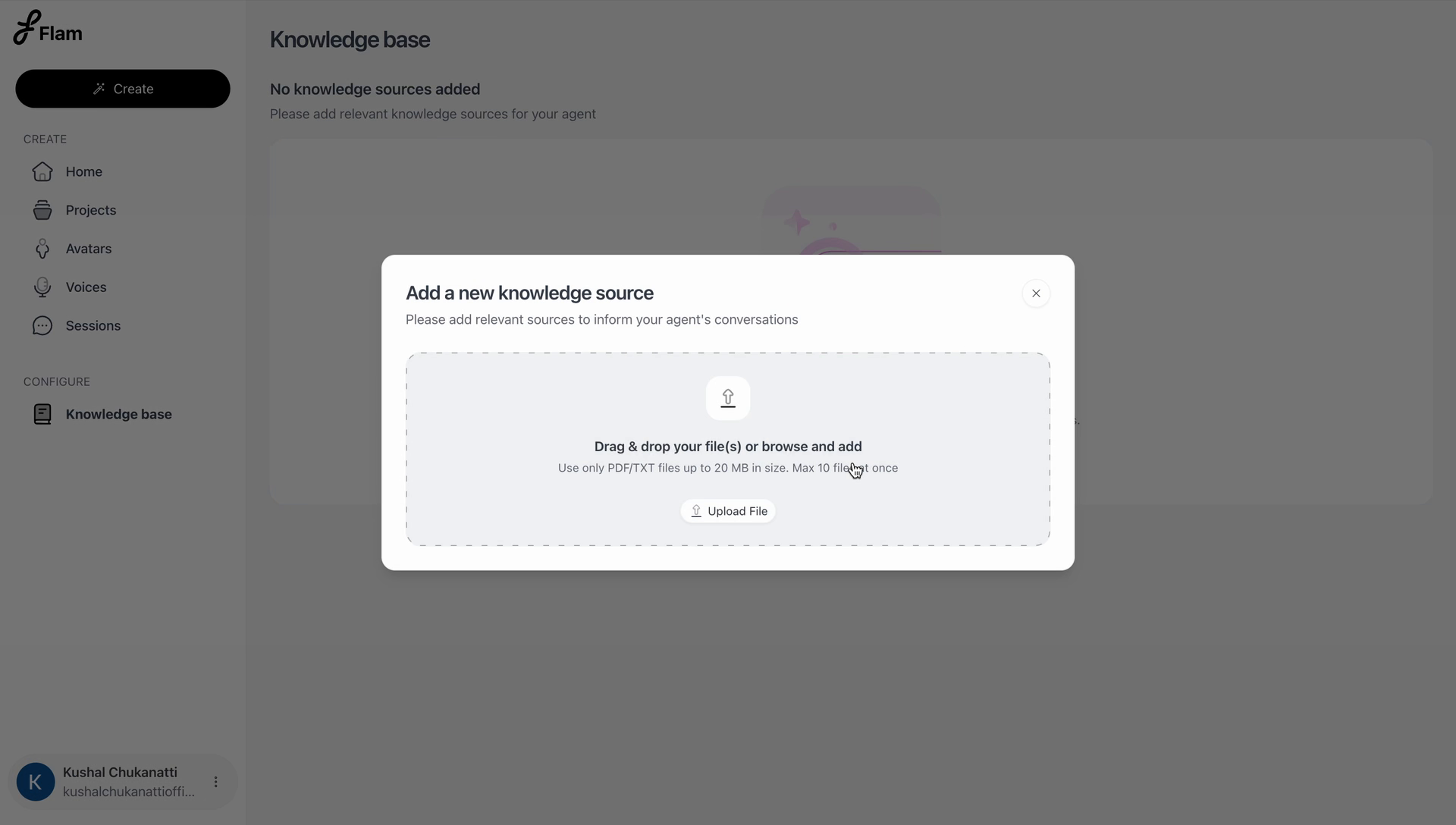
Supported file types: PDF, TXT Maximum file size: 20 MB per file
Maximum files per upload: 10 files at once
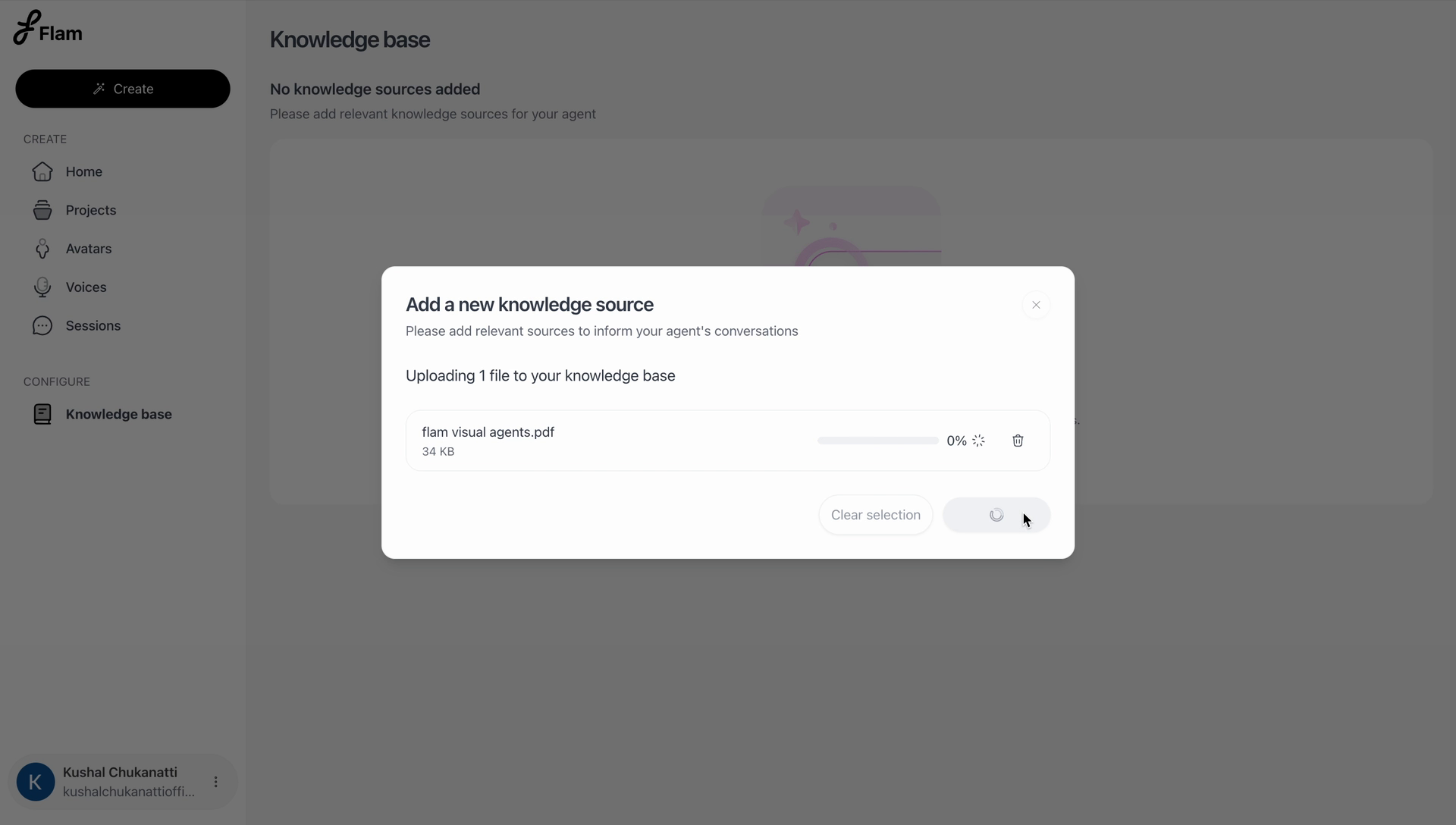
Once a file is selected, it begins uploading with a live progress indicator. A file can be removed from the selection before the upload completes, or the entire selection can be cleared to start over.
Processing
After upload, a source enters a Processing state before it becomes available to attach to an agent. Processing time ranges from a few seconds to a few minutes, depending on the size and complexity of the document, since the system is reading text, tables, images, and overall layout rather than performing a simple text scan. See Overview for details on what happens during processing.
The knowledge sources list
Every source that has been added appears in a table on the Knowledge Bank page.
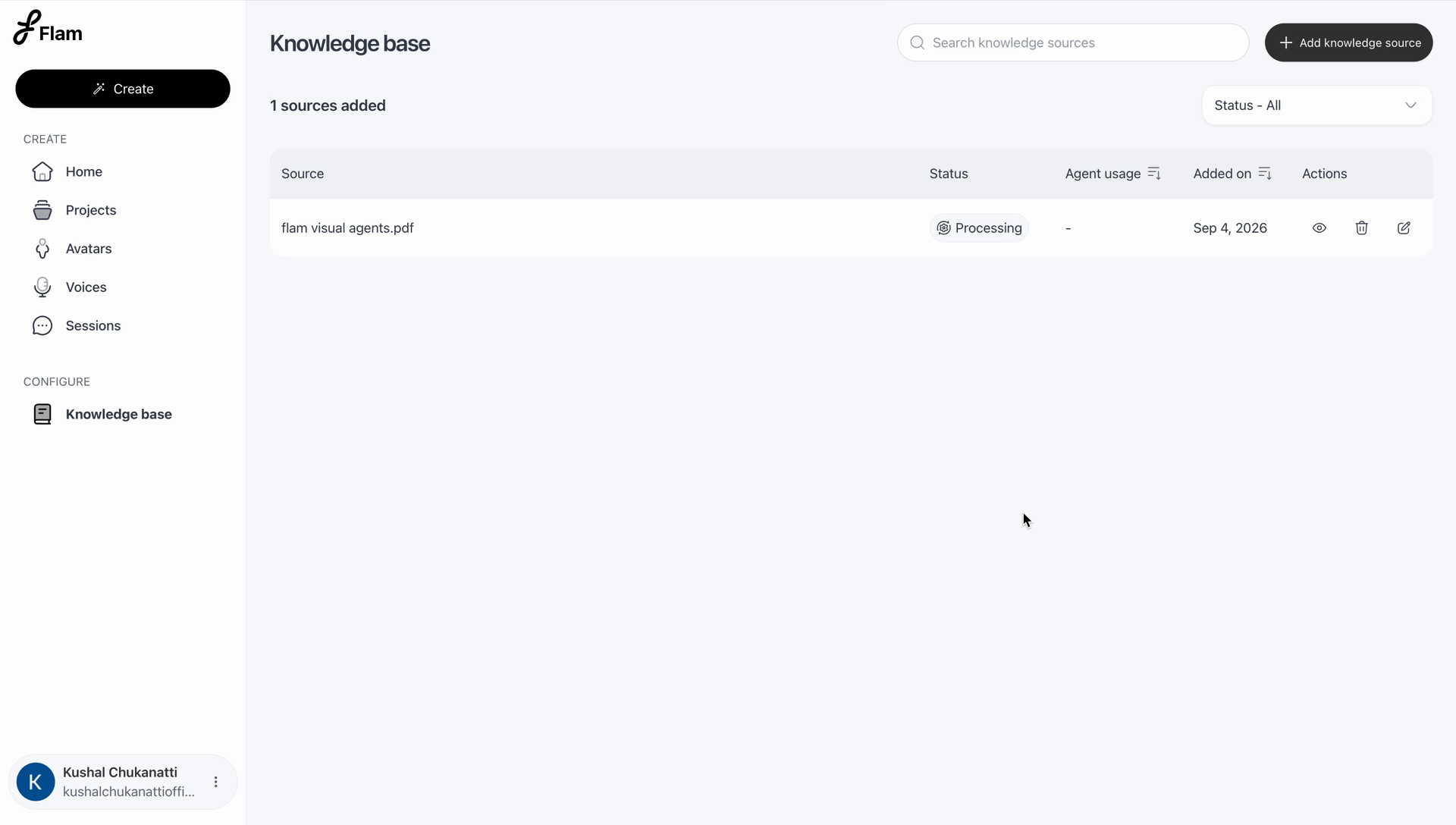
| Column | Description |
|---|---|
| Source | The file name of the knowledge source |
| Status | The current processing state of the source |
| Agent usage | The number of agents currently using this source. Sortable. Displays a dash when unused |
| Added on | The date the source was uploaded. Sortable |
| Actions | Rename and delete |
Use the search bar to locate a source by name, or the status filter to narrow the list to a specific state.
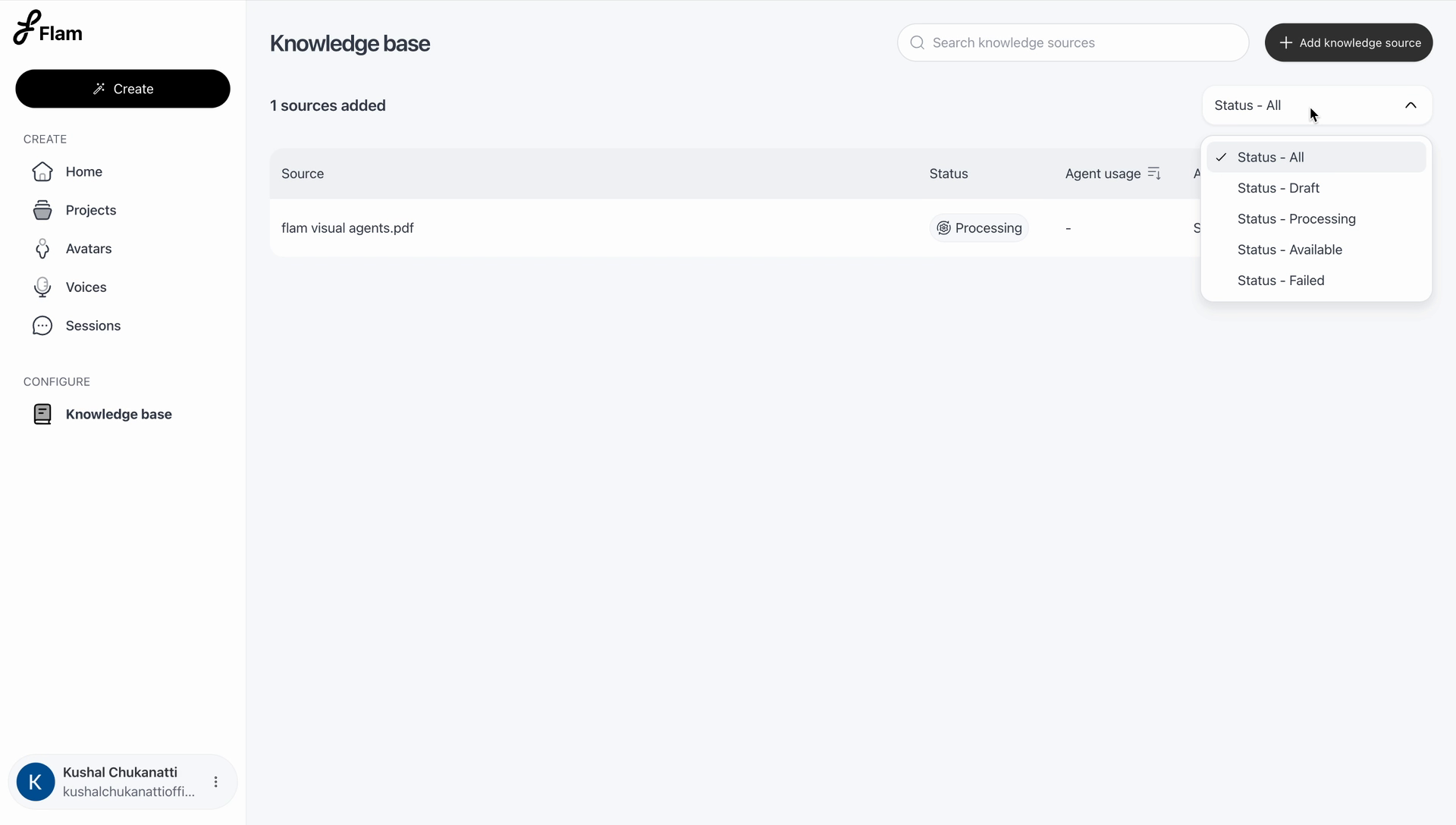
| Status | Meaning |
|---|---|
| Draft | The source has been added but not yet submitted for processing |
| Processing | The file is being parsed, laid out, and indexed |
| Available | The source is ready to be attached to an agent |
| Failed | Processing failed. Remove the source and re-upload it |
Managing a knowledge source
Each row in the list supports the following actions.
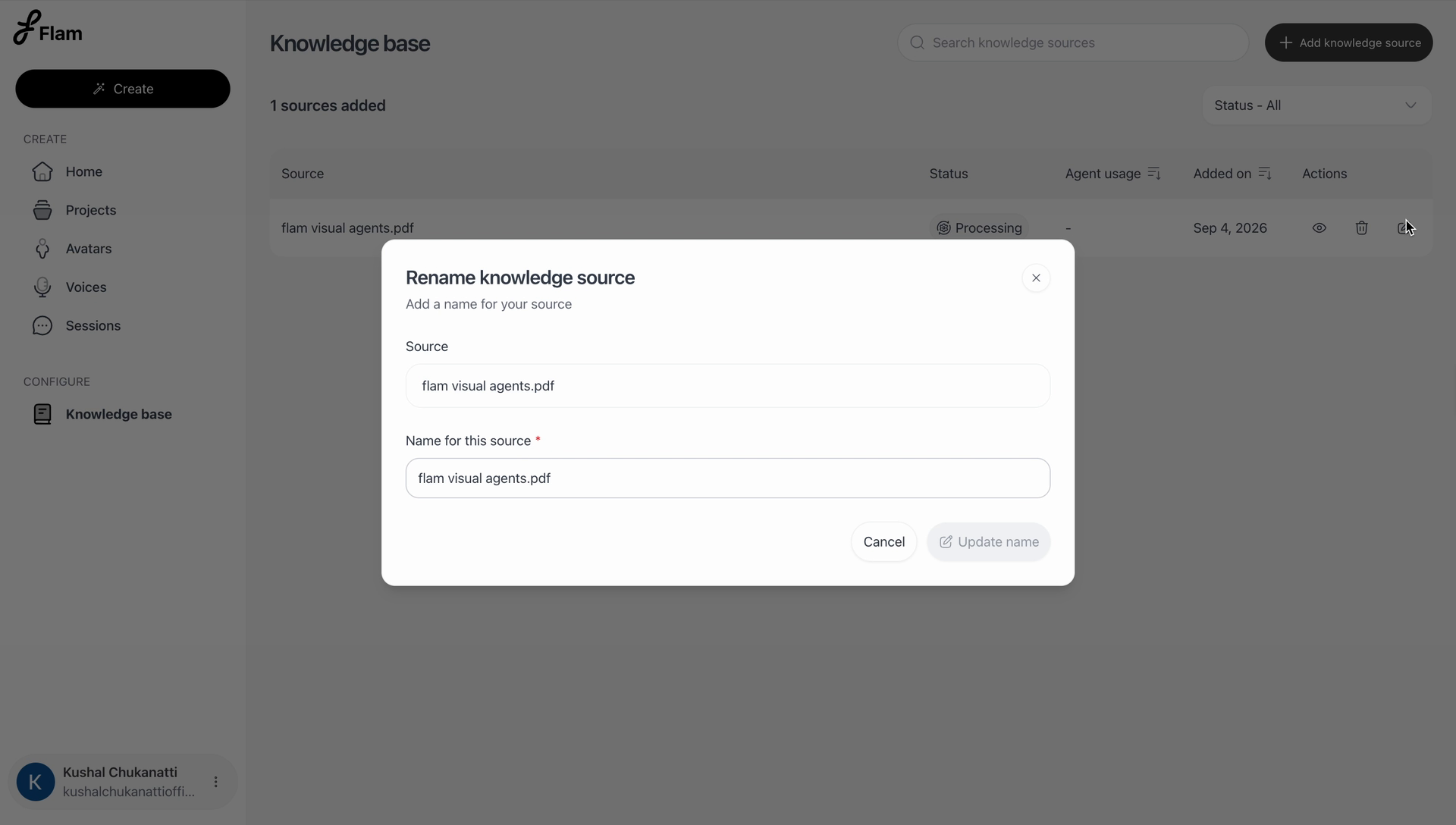
Rename
Updates the display name of a source without requiring it to be re-uploaded.
Delete
Permanently removes a source from the Knowledge Bank.
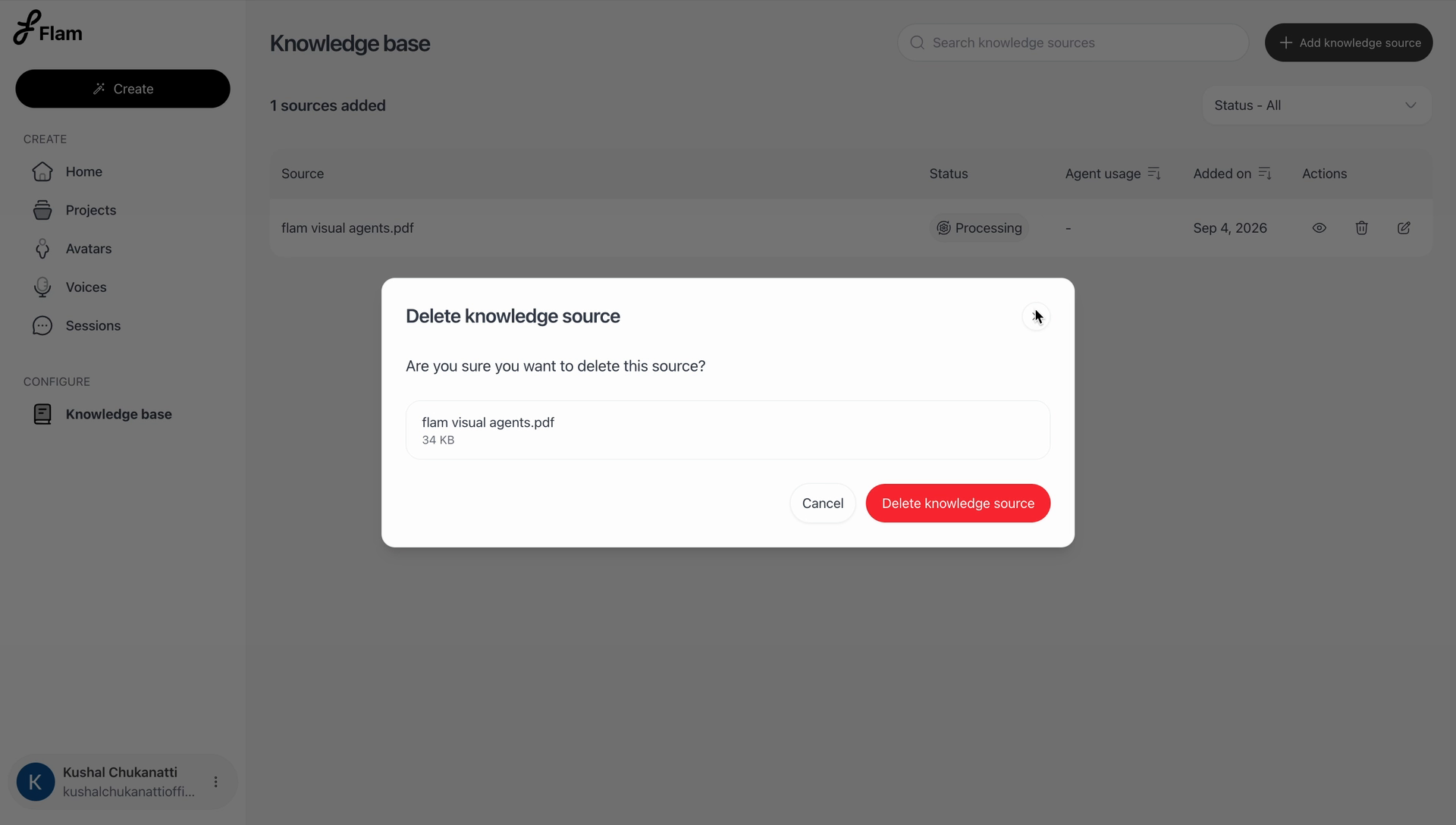
Dependency rule A knowledge source cannot be deleted while it is attached to one or more projects. The source must first be detached from every project using it before it can be deleted from the Knowledge Bank.